I recently decided that I wanted to stop using Windows as much as I can, and migrate to Linux.
It’s a change that I had been contemplating for a while, with a few key reasons:
- My hardware is too old to “upgrade” to Windows 11, and Windows 10’s end of life is coming up soon
- The direction Windows is headed is not appealing to me (see AI Recall)
- Linux’s vast customisation options seemed fun to tinker with
- I’ve used Linux enough now to understand and troubleshoot things well
- I had read about how it was easier than ever to start using Linux. So I figured, why not give it a try?
Backing up
The first decision to make was whether to dual boot or go for a big bang adoption. I had tried dual booting in a previous, failed attempt to switch to Linux full-time. But this time around, I really wanted to commit to the change — and avoid booting issues caused by Windows update — so I decided I was going to eliminate all traces of Windows 10 from my system.
The first order of business was to back up all my data. I had a spare 1 TB drive which would just about store everything. Using Rufus I created a live Ubuntu 24.04 USB drive, and tried to boot it up. I then quickly discovered this very old USB drive was dysfunctional. Fortunately, I had another one to try, and on second attempt was greeted by a familiar pink and purple background.
I backed up my data using a mix of ntfsclone and dd.1 I wrote myself instructions on how to restore the backup, and then tested them: backups are useless without restores.
I was satisfied my data was safe, so I pulled the trigger and wiped my C:/ drive, then proceeded to the Ubuntu installation.
Ubuntu trouble
The installation was immediately problematic. Once I reached the disk setup section, it was completely empty. I managed to fix it by unplugging some USB devices and restarting, as well as deleting the partitions. The rest of the installation went smoothly. However, then the real troubles began: NVIDIA.
NVIDIA blessed me with graphical glitches such as this one:
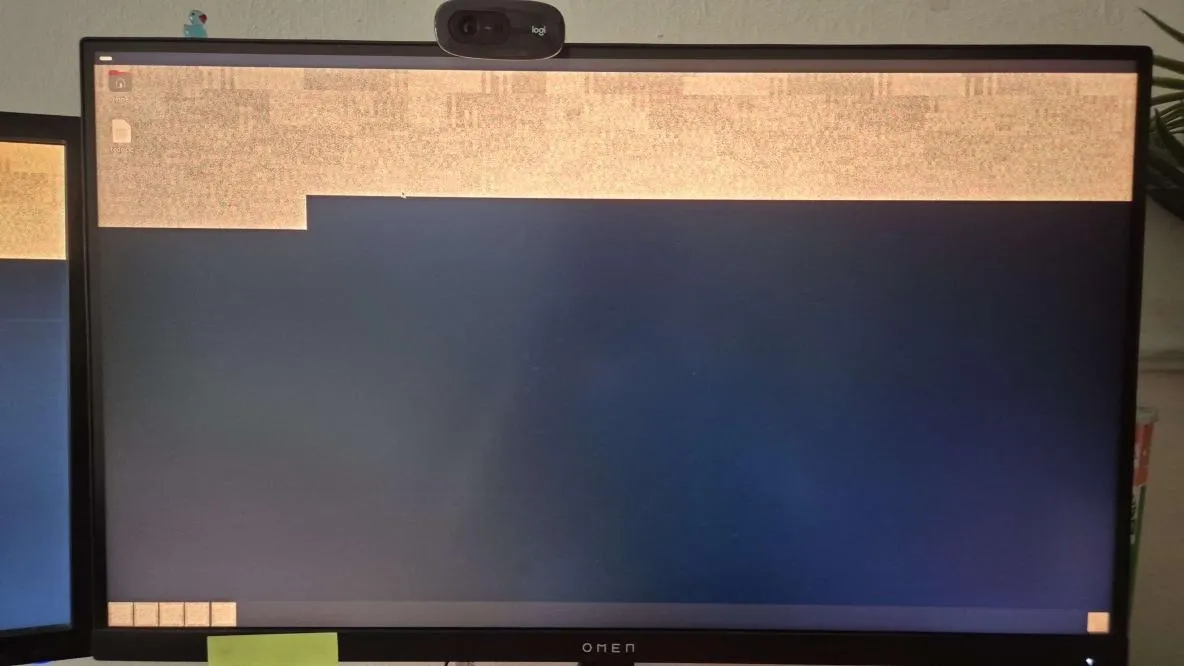
I couldn’t wake my display from suspend. YouTube was a laggy mess because there was no hardware acceleration on Firefox. I was expecting things to just work, but NVIDIA had quickly brought me back to reality.
I attempted a lot of debugging, but accidentally worsened the situation somehow. I decided that I would try out Fedora 42 with the KDE display environent rather than Ubuntu’s GNOME, since I read that it worked better out of the box when using NVIDIA.
Fedora trouble
The setup on Fedora was actually quite smooth. I was able to setup encrypted btrfs partitions quite easily thanks to the installer. I was given an option to install a nonfree software package including the proper NVIDIA drivers.
It wasn’t all perfect though. The suspending issue persisted, but I fixed it. It turned out to be as simple as enabling the nvidia-suspend systemd service (why wasn’t it enabled by default??)
More concerningly, at one point after waking from suspend, my machine repeatedly entered emergency mode due to a btrfs mounting error. But Xavier, what could this possibly have to do with NVIDIA? You might be asking. Well:
kwin_wayland[2424]: kwin_wayland_drm: Pageflip timed out! This is a bug in the nvidia-drm kernel driverkwin_wayland[2424]: kwin_wayland_drm: Please report this at https://forums.developer.nvidia.com/c/gpu-graphics/linuxkwin_wayland[2424]: kwin_wayland_drm: With the output of 'sudo dmesg' and 'journalctl --user-unit plasma-kwin_wayland --boot 0'This suspicious error message appeared in the journal while the error was happening and disappeared once I resolved it.2 So that was nice.
After this, things mostly started working. Setting up hardware acceleration on Firefox was still not easy. There are instructions on the web, but you still have to apply some critical thinking. I’ll expand on this a little after the next section.
Customisation
I had set up most of the applications I use daily and was mostly satisfied. But I switched to Linux to try customising the look and functionality - why settle for plain old KDE?
I really wanted to try niri, the scrollable tiling window manager. It’s really nice to use and I recommend it to anyone who’s ever had the frustrating experience on classic Windows-style desktops where you’re just endlessly trying to alt-tab between too many windows.
With this change came - who could have guessed - more NVIDIA issues, namely, issues with X and Wayland interaction using xwayland-satellite. But not long later, I had them fixed. Now I could focus on the most important part of any OS: the aesthetics.
I’ve customised colourschemes (gruvbox), my waybar, lock screen, niri window layouts and appearances, workspaces, application launcher, keyboard shortcuts, notification daemon, and endlessly more as I discover new things to tinker with.
Here’s what it looks like at the time of writing this:
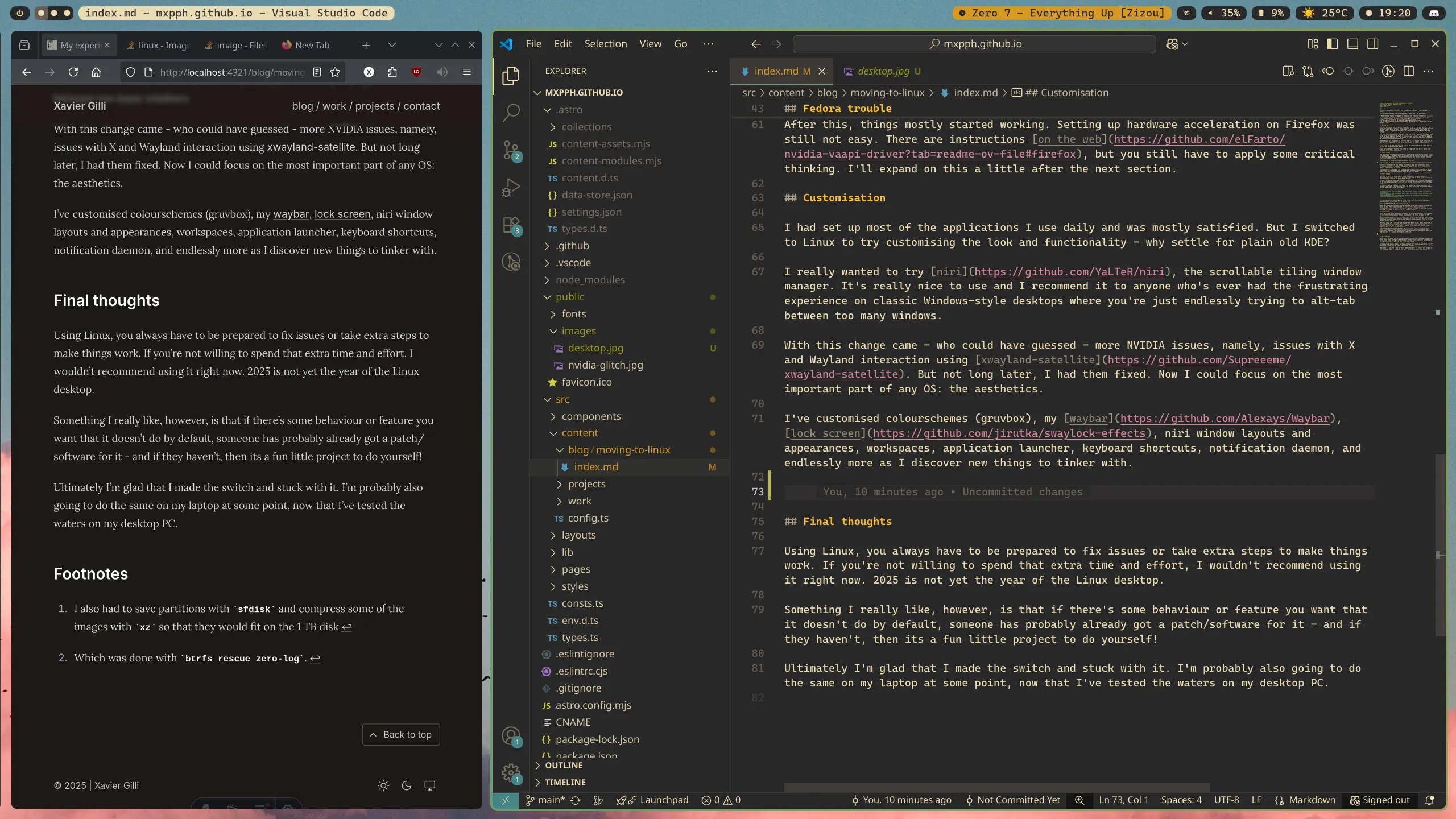
Here’s a close up of the waybar. I have my current song on Spotify, idle inhibitor, volume, CPU usage, weather, the time, and the tray.3

Final thoughts
Using Linux, you always have to be prepared to fix issues or take extra steps to make things work. If you’re not willing to spend that extra time and effort, I wouldn’t recommend using it right now. 2025 is not yet the year of the Linux desktop.
Something I really like, however, is that if there’s some behaviour or feature you want that it doesn’t do by default, someone has probably already got a patch/software for it - and if they haven’t, then its a fun little project to do yourself!
Ultimately I’m glad that I made the switch and stuck with it. I’m probably also going to do the same on my laptop at some point, now that I’ve tested the waters on my desktop PC.